Codex usage,
at a glance.

Monitor usage limits and reset times from your Mac menu bar. Explore token usage, estimated costs, and local storage in one native app.

macOS 26+ Apple Silicon

A little more clarity. A lot less guessing.
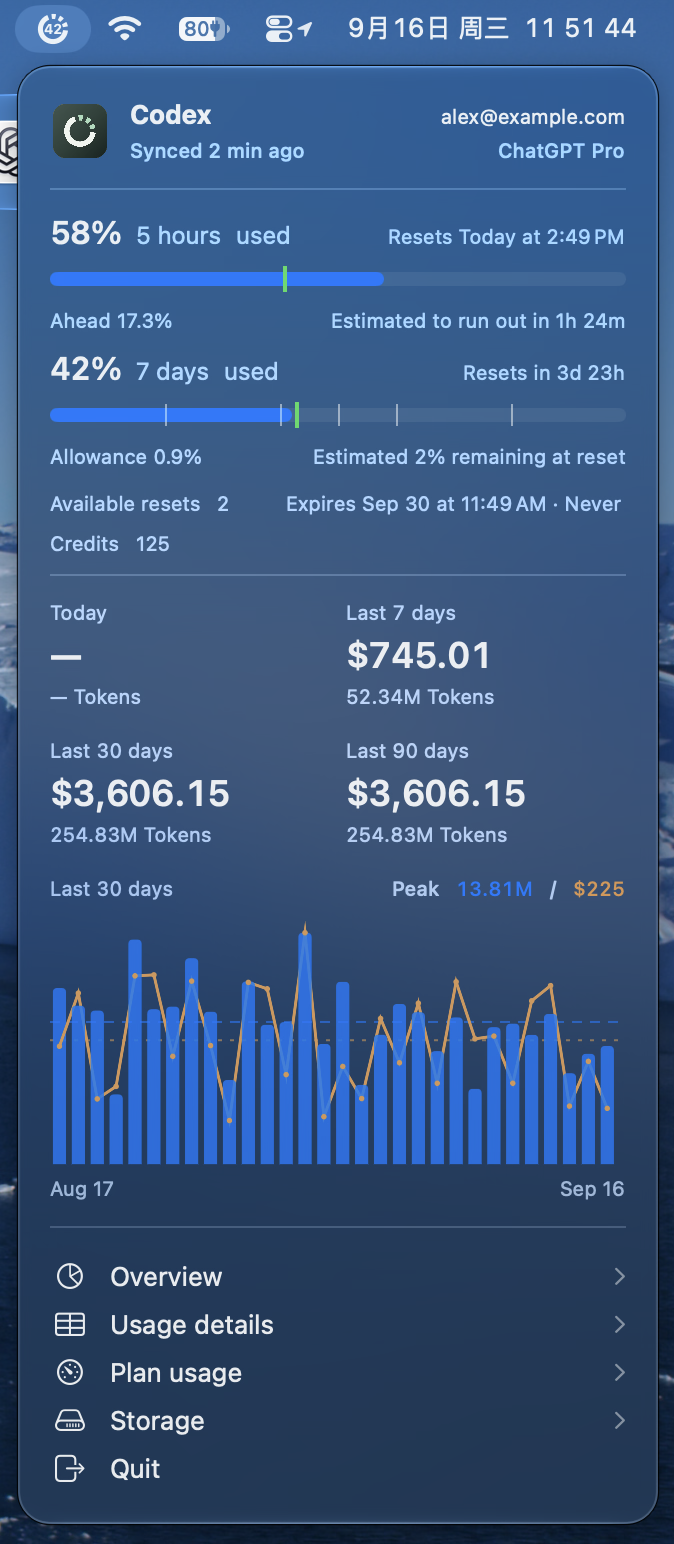
TokenTick menu bar panel with Codex usage limits, reset times, credits, and a usage chart. Sample data.
Right there in your menu bar.

Limits & resets

Know your limits. Plan your next session.

See your Codex usage limits, reset times, available resets, and credits together. Get an estimate of when your allowance will run out—or how much will remain at reset.

  • Five-hour and weekly windows, at a glance.
  • Forecasts that adapt to your usage pace.
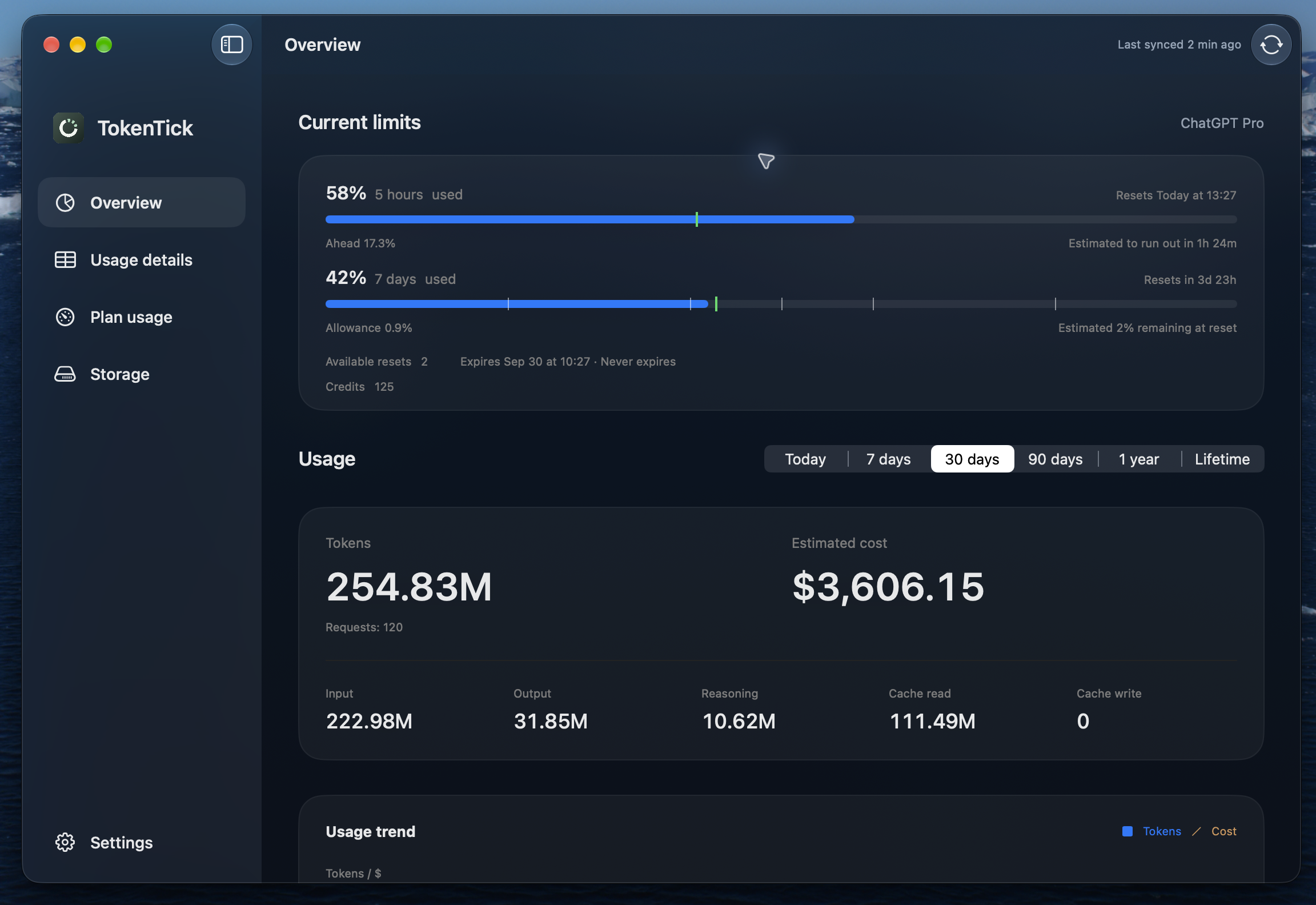
TokenTick Overview showing Codex usage limits, reset times, forecasts, and token totals
Sample data Click to explore full size

Tokens & costs

Your tokens. Your costs. In focus.

Explore Codex token usage and estimated API costs by model, usage mode, and reasoning effort. See the difference that caching, Fast mode, and long context make.

  • From today to your entire usage history.
  • API-equivalent estimates, not subscription charges.
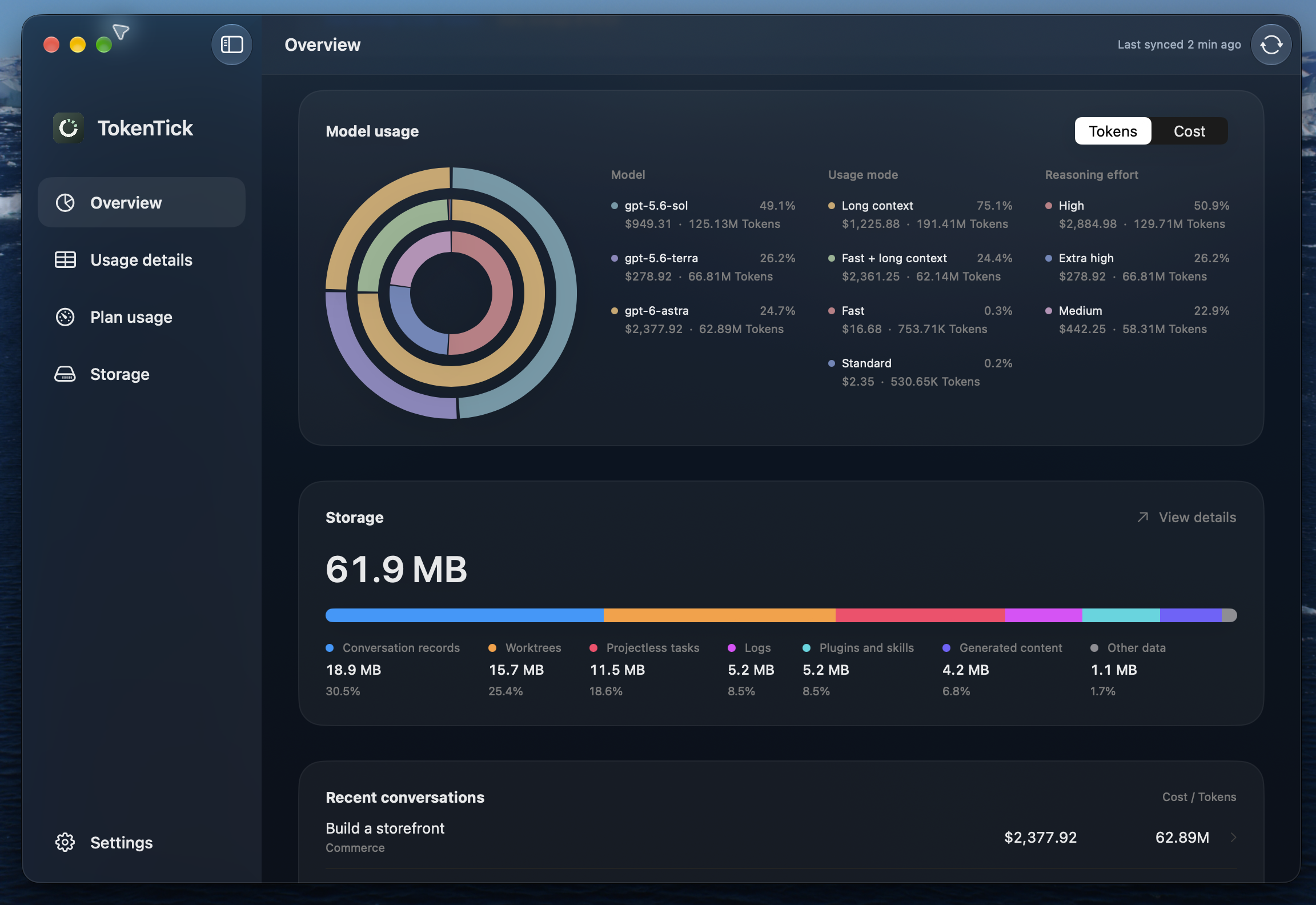
TokenTick model usage rings with token and cost breakdowns
Sample data Click to explore full size

Projects & tasks

Follow the tokens to the task.

Find the projects and tasks behind your usage. Filter by date or model, drill into individual requests, and turn a big total into something you can actually understand.

  • Explore by day, project, or task.
  • Export detailed usage as JSON with the CLI.
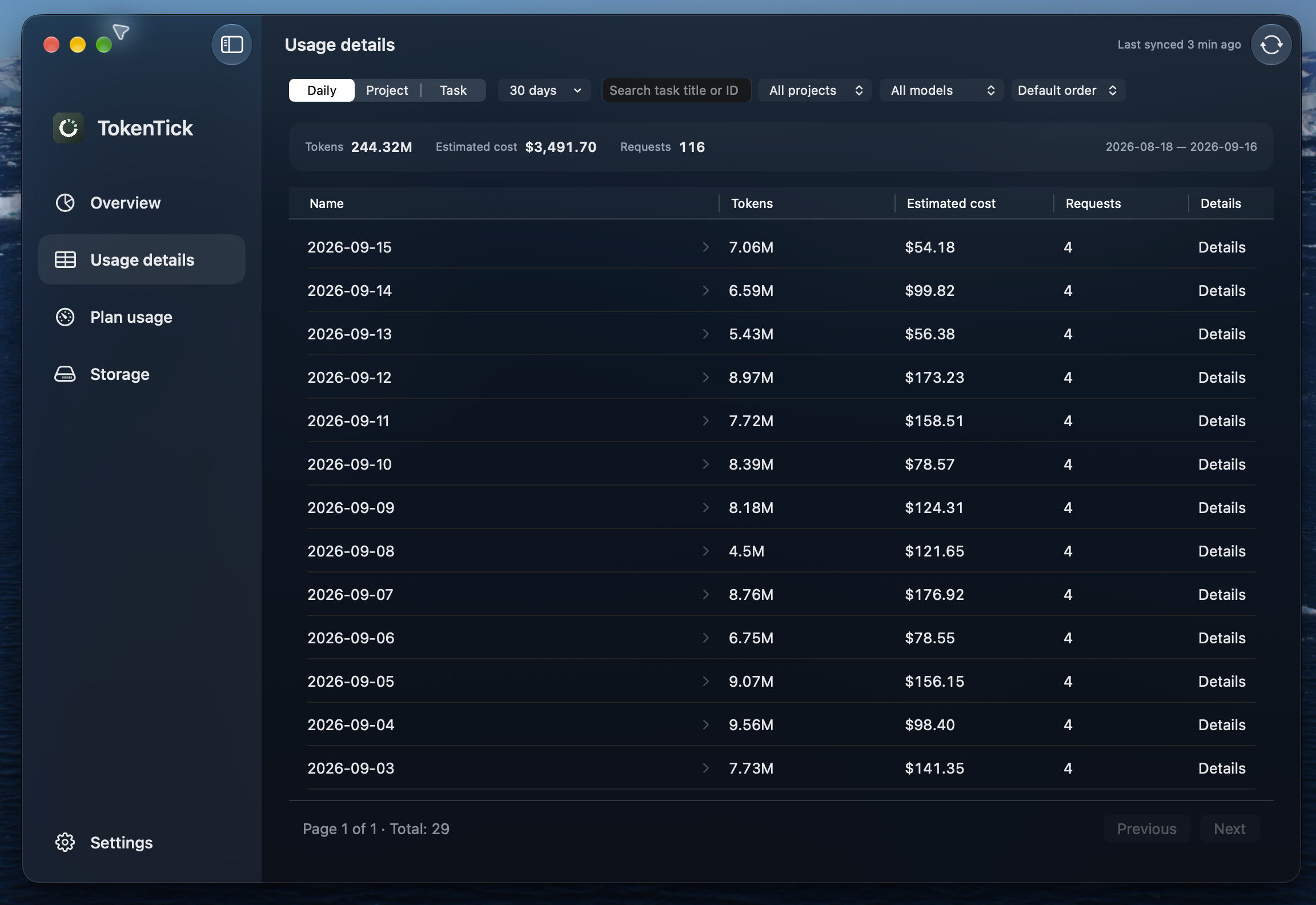
TokenTick usage details with date filters and task-level token and estimated cost totals
Sample data Click to explore full size

Local storage

A clearer view of Codex storage.

See how much disk space Codex uses, from conversation records to worktrees and projectless tasks. Find the directories behind the numbers and reveal them in Finder.

  • Scan on demand. See when data was last checked.
  • Read-only inspection. Your files stay untouched.
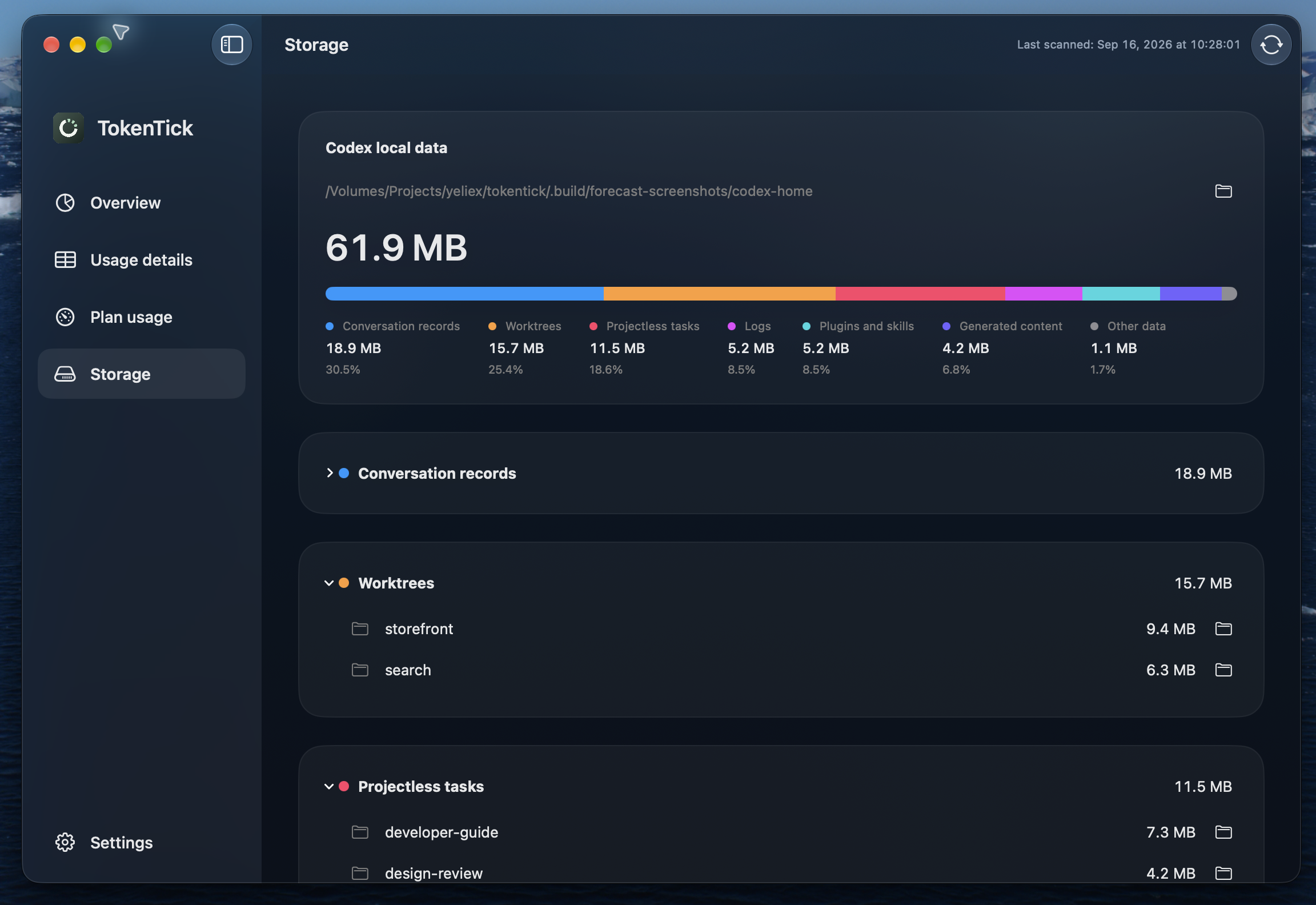
TokenTick Codex storage categories and directory sizes
Sample data Click to explore full size

Before you install

A few things
worth knowing.

Your Mac, your data. Here’s how TokenTick fits in.

Installation & documentation

Usage records are stored locally. TokenTick does not upload your conversations, credentials, or usage records. The Mac app sends crash reports, sanitized operational errors, and session statistics to Sentry, using an anonymous installation ID. It also connects to Codex for account limits and fetches public model prices and app updates. The CLI does not initialize Sentry.

TokenTick is a native SwiftUI app that processes logs incrementally. Resource use depends on your history and the work in progress: an initial import or repricing can use more resources than routine updates. Disk-space scanning runs only when you first open Storage in a launch or request a refresh. There is no separate persistent daemon.

TokenTick needs read access to your local Codex files and uses Codex’s existing sign-in through its app-server to retrieve account limits. It does not ask you to paste an API key or copy your credentials. You do not need Accessibility or Screen Recording access. The optional CLI installation creates a link in /usr/local/bin; if that directory is not writable, manual installation may require administrator access.

Yes. Closing the main window leaves TokenTick in the menu bar so it can continue updating your usage. Choose Quit from the menu to stop the app and collection. Launch at login is optional and can be configured in Settings.

Get to know your Codex usage.

A little insight, always close at hand.

Download for Mac

macOS 26+ · Apple Silicon · English & 简体中文